AI 3D Model Generator: Image to GLB in Seconds

Generate a textured GLB 3D model from any image in your browser. No GPU or install needed — upload, review, and download image-to-3D results in seconds.

AI 3D Generator

Faithful image-to-GLBPixel-aligned 3D

Faithful image-to-GLB with pixel-aligned 3D

Use the fal production path for saved Pixal3D and Trellis 2 GLB jobs, then compare a second model lane before spending cleanup time.

Choose a credit pack to generate. New accounts get 1 free image credit, then 1 more per daily check-in; a default Pixal3D job costs 220 credits. Existing balances keep their original expiry.
Cost220 credits180-390 credits
Pixel-aligned input check
Full subject in frameClear silhouette and edgesLow occlusionSimple backgroundHigh-resolution sourceNeutral lighting when possible

PNG, JPG, WebP, AVIF or GIF · up to 10 MB

2048 texture · 200,000 target vertices

Output

GLB model

Sample

Sample Pixal3D GLB output

A real Pixal3D gallery output stays here until your first generated GLB is ready.

Your generated model automatically replaces this sample.

Three-model API comparison

Pick the right model lane before spending credits

Pixal3D and Trellis 2 both convert an image URL into GLB assets. Hunyuan Motion uses a text prompt to create FBX motion. The workspace keeps those lanes behind one authenticated task and credit pipeline.

Provider
fal
Routes through the fal provider.
Scene
image-to-3d / text-to-motion
Separates image-to-3D and text-to-motion tasks.
Runtime
Queue + webhook / polling
Uses bounded polling after queued provider tasks.
Storage
Rehost provider files to R2 when possible
Rehosts provider files to R2 when possible.
Pixal3D
Default image-to-3D lane
fal-ai/pixal3d
API input
image_url, seed, resolution 1024/1536, texture_size, SLat steps, decimation_target
API output
model_glb + PBR texture + seed
Strength
Best default for pixel-aligned reconstruction: image features are back-projected into 3D so the front view stays closer to the source.
Watch point
Requires a public source image URL; cropped, occluded, or low-light subjects still need manual cleanup.
Credit lane
180-390 credits
Trellis 2
Alternative image-to-3D pass
fal-ai/trellis-2
API input
image_url, seed, resolution 1024/1536, decimation_target, texture_size, remesh
API output
model_glb
Strength
Useful when you want a second geometry interpretation before spending time in downstream tools.
Watch point
The mesh can read structure differently, especially on thin parts, so inspect the GLB before handoff.
Credit lane
160-310 credits
Hunyuan Motion
Text-to-motion lane
fal-ai/hunyuan-motion/fast + fal-ai/hunyuan-motion
API input
prompt, seed, duration 0.5-12s, guidance_scale, output_format
API output
fbx_file + motion_json + seed
Strength
Best when the deliverable is timing, pose change, or character animation rather than static geometry.
Watch point
Prompt specificity matters: duration, body part, action order, and ending pose should be explicit.
Credit lane
60 / 80 credits

Sample gallery

Pixal3D, Trellis 2, and Hunyuan Motion examples

Public Pixal3D project assets and motion ideas arranged for 3D artists: readable silhouettes, simple backgrounds, and output lanes for GLB, FBX, or motion JSON.

Open AI 3D Generator
Stylized character sample for Pixal3D
Pixal3D

Stylized character

Single-view character art for faithful silhouette and color reconstruction.

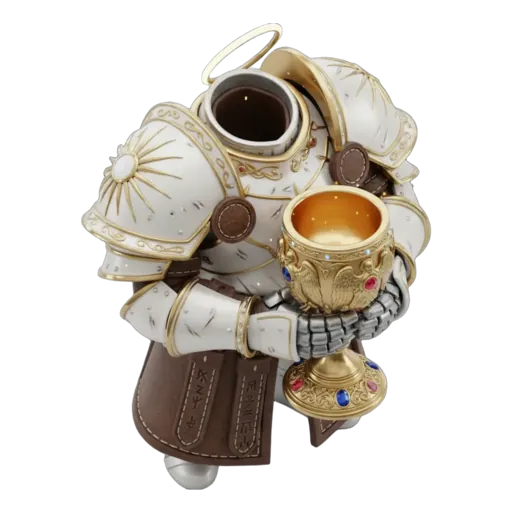
A stylized collectible character with clear silhouette, clean lighting, and visible full-body shape.

Product object sample for Pixal3D
Pixal3D

Product object

Simple product forms work well when the source image has clean edges and minimal background noise.

A clean product object on a plain background, centered camera, sharp edges, and consistent material color.

Hard-surface asset sample for Pixal3D
Pixal3D

Hard-surface asset

Hard-surface objects benefit from strong contrast and visible front-facing structure.

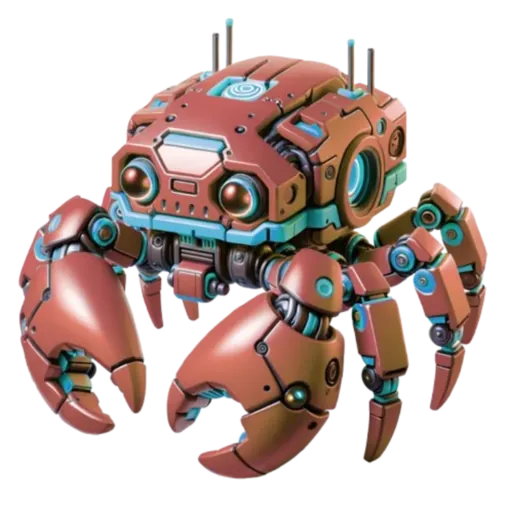
A hard-surface prop with visible contours, crisp lighting, and no cropped geometry.

Creature reference sample for Pixal3D
Pixal3D

Creature reference

Organic forms need readable posture, full object coverage, and enough texture detail.

An organic creature reference with full-body framing, readable anatomy, and detailed surface texture.

Toy-like mesh sample for Trellis 2
Trellis 2

Toy-like mesh

Use Trellis 2 as a second reconstruction lane when you want a comparison pass.

A toy-like object with rounded forms, front-facing composition, and distinct color regions.

Concept prop sample for Trellis 2
Trellis 2

Concept prop

Concept props are easiest to review when the source has a clear shadow and strong object boundary.

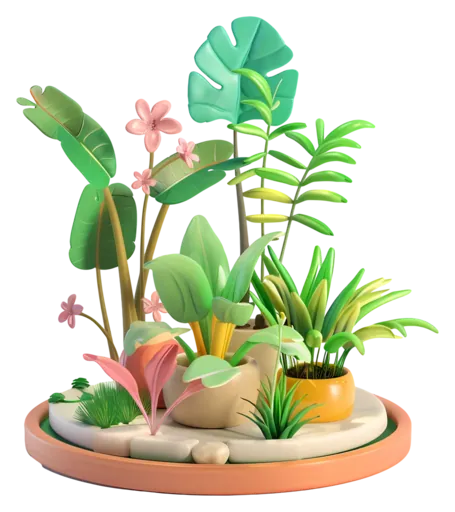
A concept prop for a 3D pipeline, centered view, plain backdrop, clear edges, and balanced exposure.

Studio object sample for Pixal3D
Pixal3D

Studio object

Studio object shots reduce ambiguity before GLB generation and downstream cleanup.

A studio object reference with neutral lighting, no occlusion, and enough texture detail for 3D reconstruction.

Motion handoff sample for Hunyuan Motion
Hunyuan Motion

Motion handoff

Use motion prompts when the deliverable is animation timing rather than static mesh geometry.

A character walks forward, turns around, and waves with natural timing.

Detailed accessory sample for Pixal3D
Pixal3D

Detailed accessory

Accessories need high-resolution source images so small material details survive the handoff.

A detailed accessory object with visible material zones, clean outline, and no heavy blur.

Portfolio model sample for Trellis 2
Trellis 2

Portfolio model

Run another image-to-3D pass when a portfolio model needs different geometry interpretation.

A portfolio-ready model reference with centered subject, readable silhouette, and simple background.

3D pixel, pixel 3D, and 3D AI

Match a 3D pixel, pixel 3D, or 3D AI request to the right lane

A 3D pixel build is the default lane in this workspace: your source image is back-projected so every pixel stays tied to the surface of the GLB instead of being wrapped loosely around it. A search for pixel 3D, or for 3D pixels, means that same image-to-3D pass, and the wider 3D AI comparison adds the Trellis 2 route plus Hunyuan Motion text-to-motion. For the full sequence from a public image URL to an exported GLB, check the credit cost above and run the first job on this page. Starting from a picture? Follow the photo to 3D model shooting guide for photographs, or the 2D image to 3D model guide for illustrations and renders.

FAQ

AI 3D generator: answers before your first GLB

The questions people ask before running an image-to-3D job in this workspace, answered in plain terms.

  1. 1

    What is 3D pixel modeling?

    A 3D pixel search usually means image-to-3D where every pixel of the source picture stays tied to the model's surface instead of being wrapped loosely around it. Pixal3D does this through back-projection, lifting pixel features into 3D so the front view of the generated GLB stays faithful to the reference image. It is not voxel art: the pixel grid does not become a block grid. To run it, upload a clear image or paste a public image URL in the workspace above, choose the Pixal3D lane, and download the textured GLB.

  2. 2

    What is an AI 3D generator?

    An AI 3D generator turns one image or a text prompt into a downloadable 3D model. On pixal3d.ai the image-to-3D lanes return a textured GLB mesh with PBR maps, and the text-to-motion lane returns FBX motion, all run through the Fal provider in your browser with no GPU or install needed.

  3. 3

    How do I turn an image into a 3D model?

    Upload one clear image or paste a public image URL, pick the Pixal3D or Trellis 2 lane, and submit. The workspace previews the GLB in the page and then lets you download it. A full subject, a clean silhouette, and a simple background give the most faithful front view.

  4. 4

    What file formats does the generator output?

    Image-to-3D runs return a GLB mesh with PBR textures that you preview and download in the browser. Text-to-motion runs return FBX plus motion JSON. Free browser tools on this site also convert GLB to OBJ or STL.

  5. 5

    How much does a generation cost?

    Pixal3D runs cost 180 to 390 credits, Trellis 2 runs cost 160 to 310 credits, and text-to-motion costs 60 or 80 credits, with the exact price shown beside the submit button. A default Pixal3D job costs 220 credits, and new accounts get 1 free image credit plus 1 per daily check-in.

  6. 6

    Do I need to install anything or own a GPU?

    No. The hosted workspace runs the models on the provider side, so a browser is enough. Running the open Pixal3D repository locally is a separate Linux and CUDA workflow that you do not need for the hosted lanes.

Related 3D guides

3D workflows by deliverable

Compare all 3D use cases